

A warehouse management system (WMS) helps businesses track inventory, manage orders and keep daily warehouse operations running smoothly. But how does it actually work? This guide explores its key features, benefits and the role of warehouse layout in improving overall efficiency.
How a Warehouse Management System works
A warehouse management system (WMS) is software designed to manage and coordinate daily warehouse operations. From receiving incoming goods to picking, packing and dispatching orders, it keeps track of inventory and guides how products move through a facility.
Instead of relying on spreadsheets, paper records or staff remembering where everything is stored, a WMS brings that information into one central system.
Here’s how a typical workflow looks:
- Receiving: Incoming goods are scanned and checked against purchase orders or expected deliveries. The system records what has arrived and identifies any discrepancies.
- Putaway: Based on predefined storage rules, the WMS can suggest suitable locations for the received products.
- Storage: Once goods are placed in their assigned locations and confirmed, their quantities and positions are recorded in the system.
- Picking and packing: When an order arrives, the WMS identifies the required products, guides staff to their locations and records completed picks.
- Dispatch: The system confirms outgoing stock, updates inventory records and can share shipment information with connected business systems.
Depending on the setup, warehouse staff may use handheld barcode scanners, mobile devices or RFID technology to record these movements.

>> Read More:
- What is an SKU? From product codes to smarter warehouses
- Top 5 Automated Warehouse Solutions Companies in Australia
Key features of a Warehouse Management System
WMS software comes with different capabilities depending on the provider and the complexity of the warehouse. Still, most systems share several core functions.
1. Real-time inventory tracking
Know what’s in stock, where it’s stored and when quantities change. By recording inventory movements as they happen, a WMS makes it easier to:
- Find products without searching through multiple storage areas.
- Identify stock shortages and discrepancies.
- Keep inventory records up to date.
Accurate stock information also makes planning incoming deliveries and outgoing orders much easier.

2. Receiving and Putaway Management
A WMS can guide this process by matching incoming goods against expected deliveries and recommending storage locations based on available space, product characteristics and warehouse rules.
For example, fast-moving products might be placed in easily accessible picking locations, while reserve stock goes into higher pallet racking levels.

3. Order Picking and Packing
Picking the wrong item or searching for misplaced stock can slow down an entire order. A WMS gives staff clear instructions about what to collect, how much is needed and where to find it.
Depending on the system, it can also:
- Group similar orders into picking batches.
- Organise picking tasks by warehouse zone.
- Use barcode scanning to confirm the correct products before packing.

4. Stock Replenishment and Rotation
A WMS can detect low stock levels at picking locations and trigger replenishment from reserve storage when additional stock is available elsewhere in the warehouse.
It may also support inventory rotation methods such as:
- FIFO (First-In, First-Out): Older stock is used or dispatched before newer stock.
- FEFO (First-Expired, First-Out): Products with the earliest expiry dates are prioritised.
These methods are particularly useful for food, pharmaceuticals and other products with specific storage requirements.

5. Reporting and Analytics
A WMS turns everyday warehouse activities into useful operational data. Managers can monitor inventory accuracy, picking performance, order processing times and storage occupancy. Over time, these insights can highlight where workflows or storage arrangements need attention.

Benefits of using a Warehouse Management System
A WMS does more than track inventory. It makes everyday warehouse operations easier to manage, with benefits including:
- Improved Inventory Accuracy: Keep stock records up to date, reduce manual errors and quickly identify discrepancies between recorded and actual inventory.
- Faster Order Fulfilment: Give staff clear picking instructions, reduce time spent searching for products and keep orders moving towards dispatch.
- Better Warehouse Space Utilisation: Track available storage locations and organise stock placement based on product demand, accessibility and storage requirements.
- Lower Operating Costs: Reduce picking errors, unnecessary travel and repetitive tasks, allowing warehouse teams to make better use of their time and resources.
Together, these benefits create a more organised warehouse where stock is easier to manage, orders move faster and teams can focus on getting work done. As operations grow, a well-implemented WMS can also provide the visibility and flexibility needed to handle increasing demand.

WMS vs Inventory Management Software: What’s the difference?
Warehouse management and inventory management are closely related, but they don’t cover exactly the same responsibilities.
Inventory management software primarily focuses on stock quantities, availability and movements across a business. A WMS goes further by coordinating the physical processes involved in storing and handling those products.
Here’s a simple comparison:
| System | Main purpose | Typical functions |
| Inventory Management Software | Tracks stock quantities and availability | Stock monitoring, reorder alerts, inventory reporting |
| Warehouse Management System (WMS) | Manages warehouse activities and physical inventory movements | Receiving, putaway, location tracking, picking and dispatch |
| Enterprise Resource Planning (ERP) | Connects business operations across departments | Finance, purchasing, sales, inventory and business reporting |
These systems can work together. Some ERP platforms already include warehouse management functions, while dedicated WMS software can connect with existing ERP or inventory systems.
>> Read More:
- Inventory Management Systems: Features and Benefits
- Warehouse Management: Make Every Metre and Movement Count
How does a WMS work with Automated Warehouse Systems?
A WMS becomes even more valuable when integrated with warehouse automation. By connecting inventory data with automated equipment, businesses can coordinate stock movements, storage locations and order fulfilment with less manual intervention.
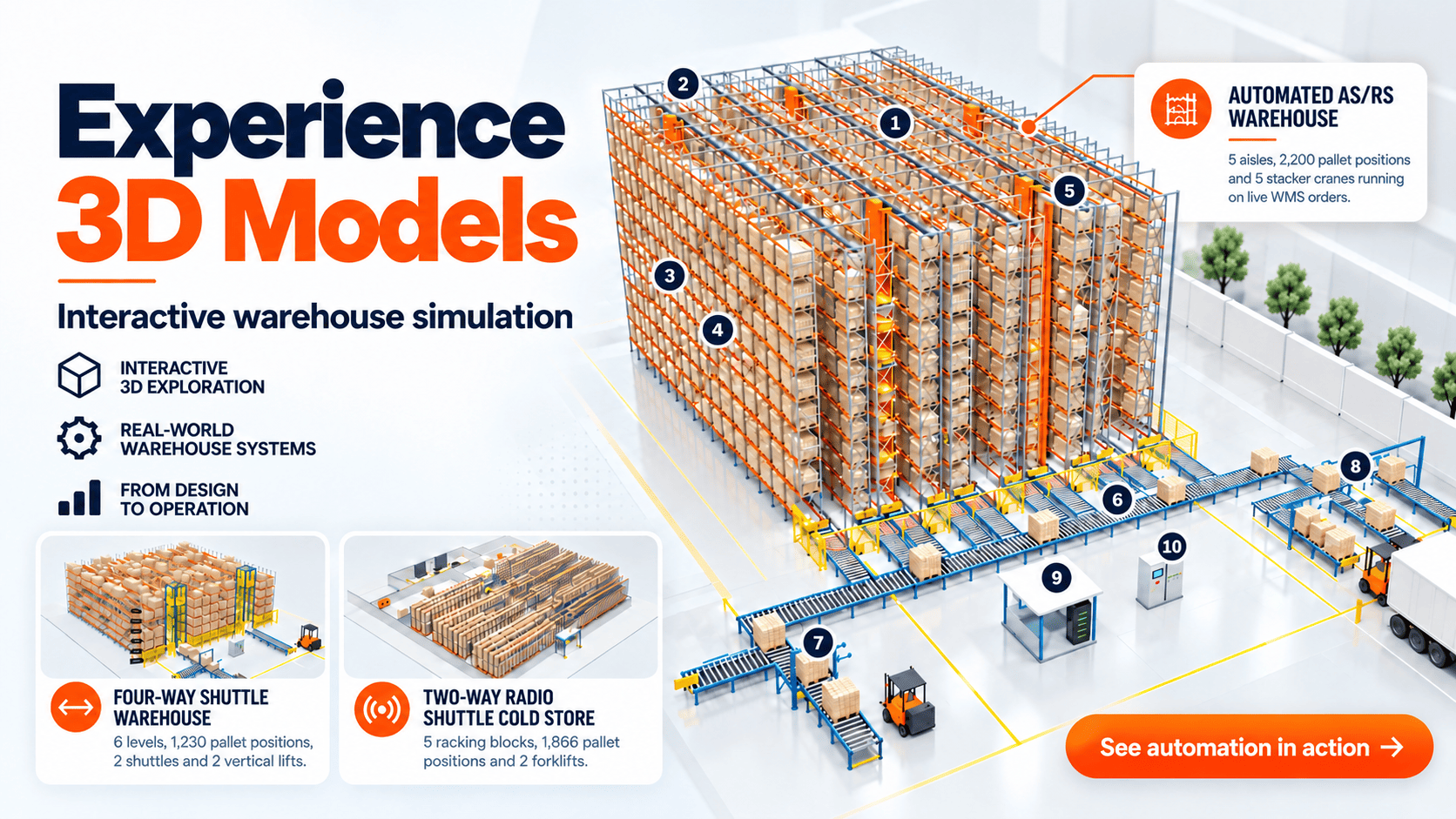
Technologies such as Automated Storage and Retrieval Systems (AS/RS) and Shuttle Racking Systems can work alongside compatible warehouse management and control software to streamline pallet storage and retrieval.
However, making these technologies work together requires more than software. The warehouse layout, storage configuration and equipment must also be designed to support smooth and reliable operations.
Explore Vinatech’s warehouse storage solutions for your warehouse layout and handling requirements. Our warehouse planning services also include 2D and 3D layout designs, allowing businesses to assess storage configurations, equipment access and material flow before installation.
Whether you’re upgrading an existing warehouse or exploring automation, Vinatech Australia can help you build a storage environment that supports your operational requirements and works alongside your warehouse management processes.